
Support

How can we help?

Find help with your subscription and data, or write to a person who replies within 24 hours.

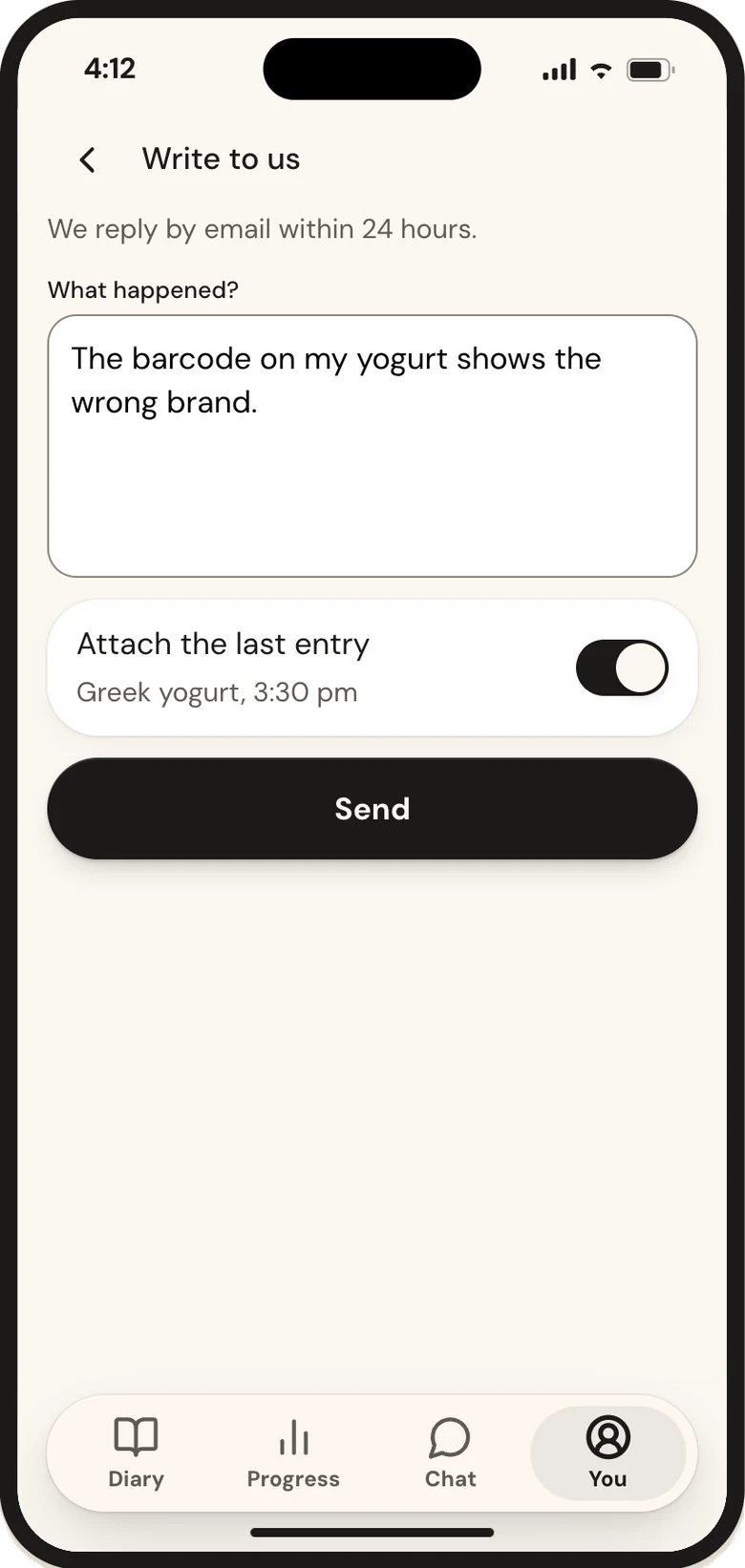
Write to a person

[email protected]

We reply within 24 hours

  • Write from the email address you use for Calsa.
  • Tell us what happened and where: web, iPhone or Android.
  • A screenshot helps. Please don't send passwords or card numbers.
Email support

Quicker than writing to us

Find the steps for your account and the store where you paid.

How do I cancel?

Open You → Subscription. For a web subscription, choose cancellation there. For an App Store or Google Play subscription, open the store's subscription management from that screen and complete cancellation in the store. You do not need to give a reason or accept another offer.

Cancellation stops future renewal, while access remains until the end of the paid or trial period. Check the confirmation and end date. Deleting the app does not cancel billing.

If Calsa confirms that your web cancellation request is recorded, you do not need to submit it again. We will complete the cancellation with the billing service and refund any renewal charged after your request. If the request could not be saved, try again or contact support.

Full answer

How do I get a refund?

For a web purchase, request a refund in your account or contact support. A full refund is available when requested within 14 days of the first charge after the trial or an annual renewal. An unused web message pack also has a 14-day window. Other cases depend on the reason and applicable rights.

App Store refunds are requested from Apple. Calsa explains the route but cannot issue Apple's decision. For Google Play, Calsa handles applicable cases through the store, with other requests following its process. Cancelling renewal and requesting a refund are separate actions.

Full answer

How do I change my plan?

Open You → Subscription and review the available plan change. An upgrade within the same billing period takes effect after the confirmed payment. On the web, the screen shows the difference due now and the next price before you agree.

A downgrade or change of billing period takes effect at the end of the paid period, without refunding its unused part. Store purchases follow the store's change flow. Check the effective date before confirming. A downgrade caps carried-over messages at the new plan's allowance. Purchased pack messages stay.

Full answer

I got a new phone. How do I get my subscription back?

Sign in to the same Calsa account you used before. Your subscription is recognised across the web and mobile apps, so a new phone does not require a new purchase. For a store purchase, use Restore purchases with the store account that bought it.

If access is still missing, check your sign-in method and receipt's billing service. Apple sign-in may use a private relay address. Contact support with the purchase reference and what restoration shows. Do not buy another subscription to recover the first one. A receipt alone does not prove ownership of the Calsa account.

Full answer

How do I export my data?

Open You → Privacy and data → Export everything and request your files. Export is free, including after your subscription ends. The archive includes machine-readable data, a readable copy and stored account images, covering diary and imported history, profile and goals, weight, chat and memory, settings, consents and account payment records. The archive covers account records. It does not expose payment credentials or mean every legally retained operational record is included. If you allowed product analytics, the archive also includes analytics data still held and linked to your account, including retained data held by PostHog. Deleted or unlinked analytics are not recreated.

The download link lasts 7 days. A new export replaces it. Sync entries still stored only on a device first, because the server archive cannot include unsent data. Download and check the archive before deleting your account. If PostHog is temporarily unavailable, the available archive identifies the missing analytics part. The export request remains open until that part is completed. An unavailable source is not described as an empty history.

Full answer

How do I delete my account?

Open You → Privacy and data → Delete account. Read what will be removed and confirm only when you have downloaded any export you want to keep. Account deletion cannot be undone and unused pack messages are lost.

Diary, profile and chat are removed from the live service. Processor deletion requests are sent that day and backup copies expire within 35 days. Payment records are kept for seven years and for at least one year after the subscription ends. A payment attempt confirmed as unsuccessful, with no charge, is kept for 13 months after that final result. For store subscriptions, also complete the store cancellation route: deleting an app or account is not a substitute for checking the store's renewal status.

Full answer

How do I turn AI off?

Open You → Privacy and data and switch off AI permissions. Recognition of photos and food phrases and the AI chat stop sending new requests. The permission controls distinguish those functions, and the overall AI switch stops both.

Search, barcode, quick add, repeat meals, your own foods and the daily total keep working. You do not have to delete the diary to stop using AI. Turning AI off is separate from withdrawing health-data consent, which affects collection of new diary and body data. Review saved chat or memory separately if you want to delete them.

Full answer

How do I report a wrong food?

Open the food's source and choose Report this food. Explain what differs: the product matched by barcode, its nutrition values or its portion. If you choose, attach a clear label and barcode photo or a manufacturer's published information.

You can correct your own version for use in your diary while the shared record is checked. A report does not silently change everybody's food or rewrite past entries. The review result is sent by email within 7 days. A new-product submission is checked separately from your private food.

Full answer

Common questions

Why was I charged?

Check the receipt and You → Subscription before assuming the reason. Match the billing service, plan, period, date and amount. A charge may be the first payment after a trial or a renewal, but the actual transaction must be checked.

The trial is 7 days, with the first charge on day 8 unless cancelled beforehand. Web statement text contains CALSA. Store receipts come from the store. If the amount, timing or access looks wrong, contact support with the receipt reference and billing service. Do not send a full card number or pay again to investigate.

Full answer
How do I cancel?

Open You → Subscription. For a web subscription, choose cancellation there. For an App Store or Google Play subscription, open the store's subscription management from that screen and complete cancellation in the store. You do not need to give a reason or accept another offer.

Cancellation stops future renewal, while access remains until the end of the paid or trial period. Check the confirmation and end date. Deleting the app does not cancel billing.

If Calsa confirms that your web cancellation request is recorded, you do not need to submit it again. We will complete the cancellation with the billing service and refund any renewal charged after your request. If the request could not be saved, try again or contact support.

Full answer
Which devices does Calsa work on?

Calsa works on iPhone, Android and the web. Sign in to the same Calsa account to use your synced diary and subscription across devices, so you do not need a separate subscription for each one.

Some phone features need the mobile store app, including Apple Health or Health Connect. A browser can show Health values already brought into your account by the phone app, but cannot establish that connection itself. Entries still waiting on one device are not yet available elsewhere.

Full answer
What happens to my diary if my subscription ends?

Your saved diary, weight history and chat remain available to read after the subscription ends. You can export your account data for free or delete your account. Ending the subscription does not erase your history.

Adding new tracking data and ordinary chat access stop with the subscription. Any unused purchased message pack remains usable for chat with Start's context. Monthly and carried-over allowances end. If you subscribe again, the previous history remains. Before removing an old device, make sure entries stored only on it have reached your account.

Full answer
Can I log without internet?

You can keep a draft or save supported manual entries on the device while offline. Calsa marks entries that are still only on this device. They are not yet synced to your account. Photos can wait for recognition when the connection returns.

AI recognition and chat need a connection. Keep the app and its data on the device until pending entries are confirmed as synced. Do not sign out, clear app data or reinstall to fix a waiting entry, because the unsent copy may be its only copy.

Full answer
Why is my number different from the package or another app?

First compare the same product and amount. Check the brand, country and raw or cooked state, then whether the value is per 100 g, per serving or for your entered amount. Check serving weight and whether energy is shown in kcal or kJ.

Labels and recipes change, and another app may use a different source. Open Calsa's source to compare. If the package still disagrees, correct your own food from the label and report the product. Your private correction can help now. Changing the shared database requires a separate check.

Full answer
Is Calsa a medical app?

Calsa is a general wellbeing and food-tracking service. It is not a medical device, a diagnostic service or a treatment for a health condition. Its suggested goals are estimates you can review and change within the safety limits.

Use a qualified health professional for diagnosis, treatment or a personal clinical nutrition plan. If you want to share a record of what you ate, export your data and choose the relevant information yourself. An AI answer or a calorie trend cannot establish what treatment you need.

Full answer
When will a person reply?

A person replies within 24 calendar hours after your message reaches the server, including weekends. The same timeframe applies to a new message in an open conversation. An automatic acknowledgement is confirmation of receipt, not the human answer.

If an investigation is still with the team, you receive a substantive update within the next 24 hours. If delayed, the delay is explained with a new expected time. That does not mean every refund or data operation finishes within 24 hours: those operations have their own deadlines. Repeated messages do not reset the original reply time.

Full answer

For logging, portions and the chat, see Help.

Policies

Calsa is operated by Genio Group, Inc., 1470 Civic Ct Ste 309, Concord, CA 94520-5230, United States.

Back to your next meal.

Once it’s sorted, logging takes a minute: a photo, a few words or a barcode, then the grams you confirm. Your diary and your goal stay right where you left them.

Log my first meal
Teriyaki tofu on rice with edamame and a cucumber and seaweed saladCalsa Write to us: a message with the last entry attached